


Google Chromeの拡張機能で Native Message を利用する際に、[Uncaught (in promise) Error: Error when communication with the native messaging host.]エラーが表示されえる場合に確認する部分を備忘録的に投稿しておきます。
外部プログラムの戻り値
Google Chromeの拡張機能で Native Message を利用する際に、こんな感じで戻り値としてJSON形式の値を利用しようとしたら、こんなエラーが発生しました。
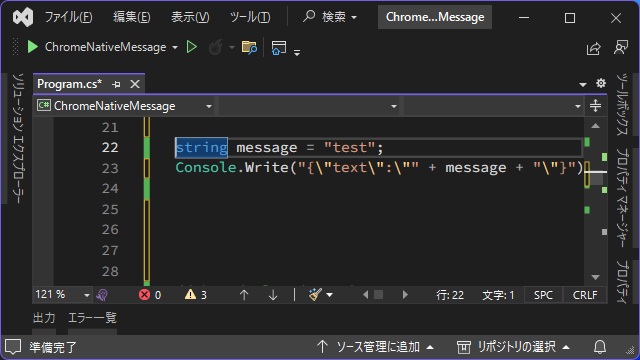
string jsondata = "{\"text\":\"" + Data + "\"}";
Console.Write(jsondata);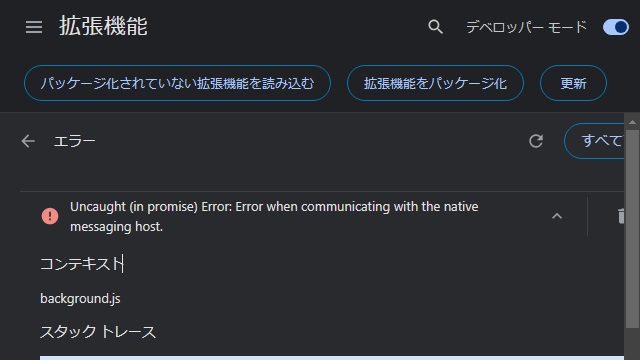
Uncaught (in promise) Error: Error when communication with the native messaging host.先頭にJSONの長さが必要
Native messaging(Microsoft Learn)に記載がありますが、Native Messageでやり取りするJSONの先頭には長さを追加する必要があります。
JSONの長さ
JSON本体
さらにバイナリー値で返す必要があるので、少し手間が必要です。
なので、関数化するとこんな感じ。(JSON内の名前は適当に “text” にしています)
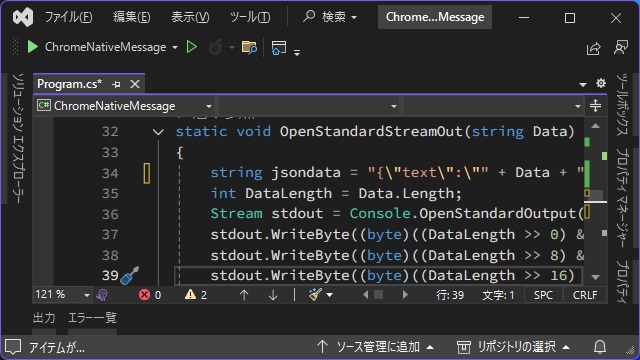
static void OpenStandardStreamOut(string Data)
{
    string jsondata = "{\"text\":\"" + Data + "\"}";
    int DataLength = Data.Length;
    Stream stdout = Console.OpenStandardOutput();
    stdout.WriteByte((byte)((DataLength >> 0) & 0xFF));
    stdout.WriteByte((byte)((DataLength >> 8) & 0xFF));
    stdout.WriteByte((byte)((DataLength >> 16) & 0xFF));
    stdout.WriteByte((byte)((DataLength >> 24) & 0xFF));
    stdout.WriteByte(Convert.ToByte(jsondata, 16));
    stdout.Flush();
}
後は、こんな感じでアプリ内でOpenStandardOutput関数を呼び出します。
string message = "test";
OpenStandardStreamOut(message);
バイナリー化したJSON形式の戻り値を出力することで、[Uncaught (in promise) Error: Error when communication with the native messaging host.]エラーは改善できました。
まとめ
今回は、短い記事ですが Google Chromeの拡張機能で Native Message を利用する際に、[Uncaught (in promise) Error: Error when communication with the native messaging host.]エラーが表示された場合の対処法を書きました。
NativeMessageを利用する場合、戻り値をバイナリー形式にする必要があります。その他にも、先頭にJSONの長さを追加しておく必要があります。
Google Chrome 拡張機能で[Uncaught (in promise) Error: Error when communication with the native messaging host.]エラーが解決しない人の参考になれば幸いです。
スポンサーリンク
最後までご覧いただきありがとうございます。